CRM Engine
A CRM that moves the work - not just stores the record.
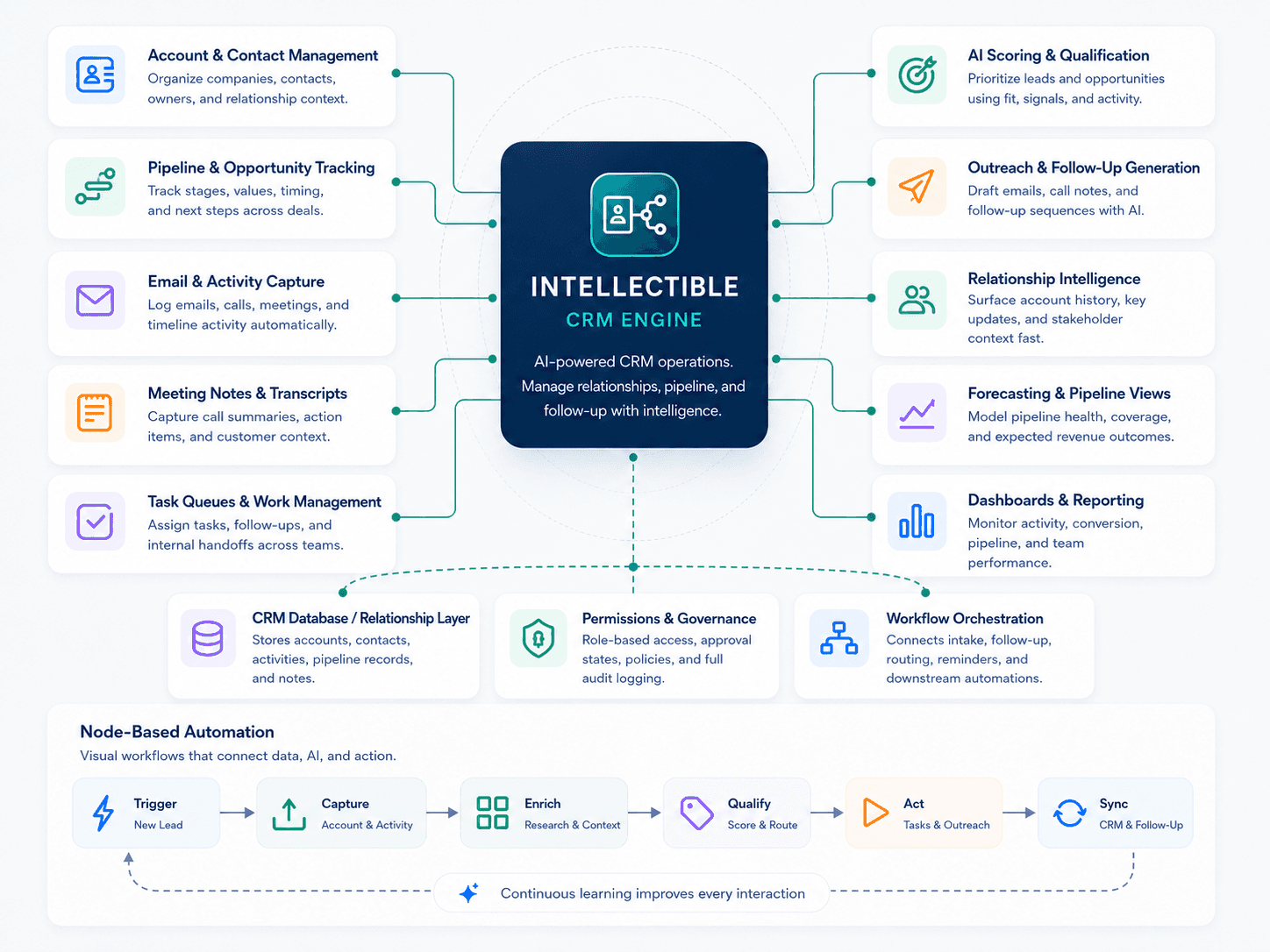
Start with a complete CRM workflow engine for intake, pipeline stages, owners, tasks, approvals, notes, dashboards, and stage-based automations. Then expand it around your team’s custom records, rules, handoffs, integrations, and operating cadence.
Everything that usually lives in status meetings, spreadsheets, inboxes, and task tools - in one system.
Important work rarely stays inside one CRM field. It touches conversations, files, deadlines, approvals, team capacity, customer context, and five other systems people have to update by hand. The CRM & Workflow Engine turns that mess into a shared operating system.
Stop letting new work arrive as loose messages.
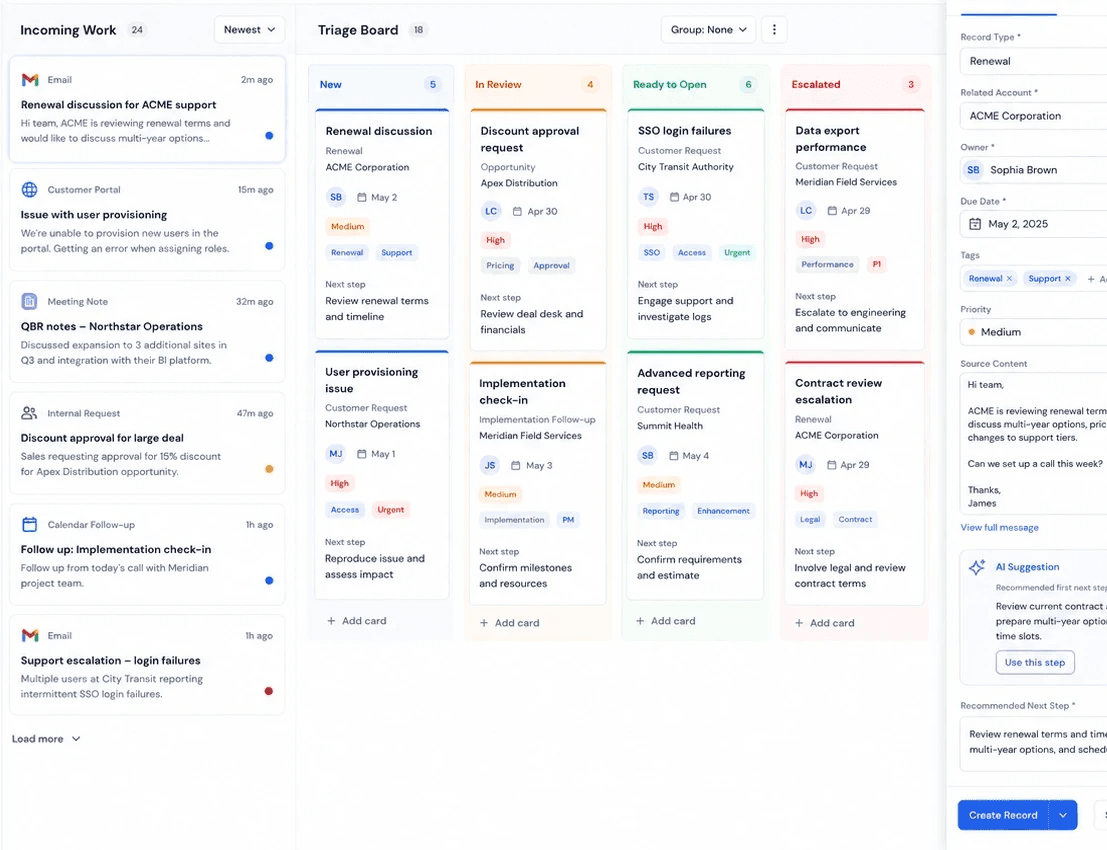
Requests, customer updates, internal initiatives, and follow-ups should not start as another thread someone has to interpret. The engine turns incoming work into clean records with source context, ownership, due dates, tags, priority, and the first recommended next step.
Capture work from forms, emails, CRM updates, documents, meetings, and internal requests.
Route each record by type, team, priority, customer, region, product, or business rule.
Give owners a complete starting point instead of a vague assignment.
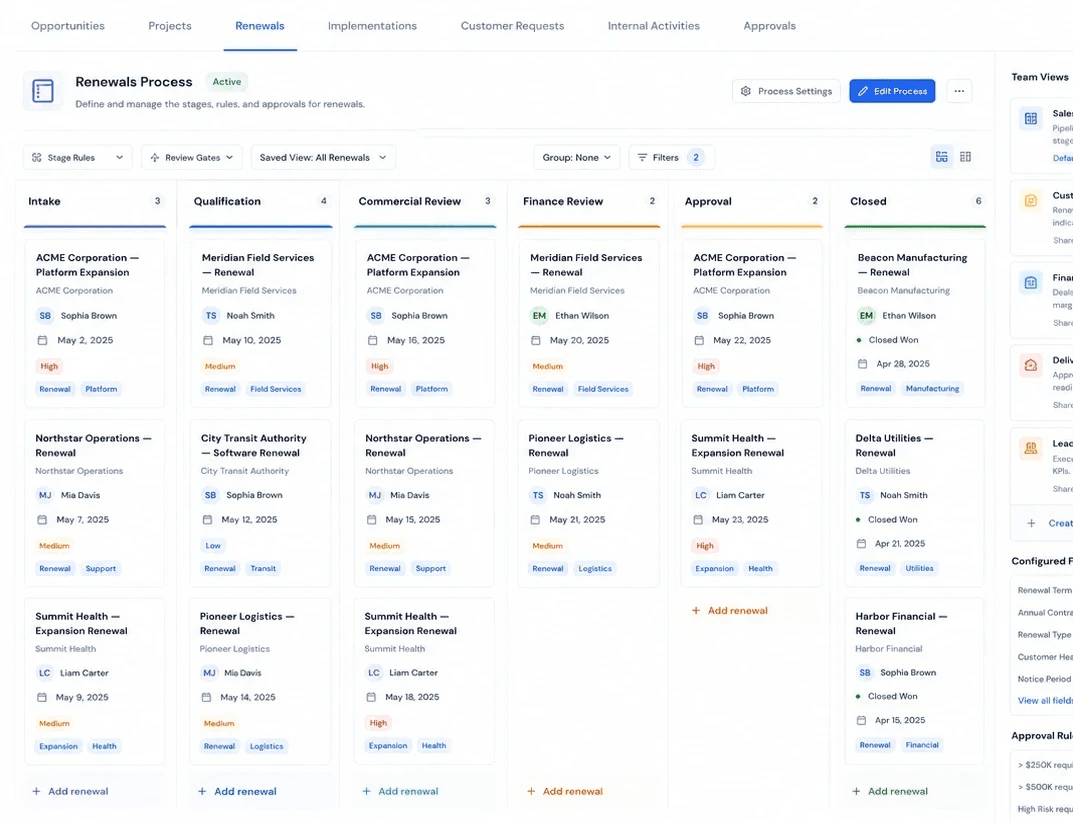
Build the CRM around your process, not someone else’s categories.
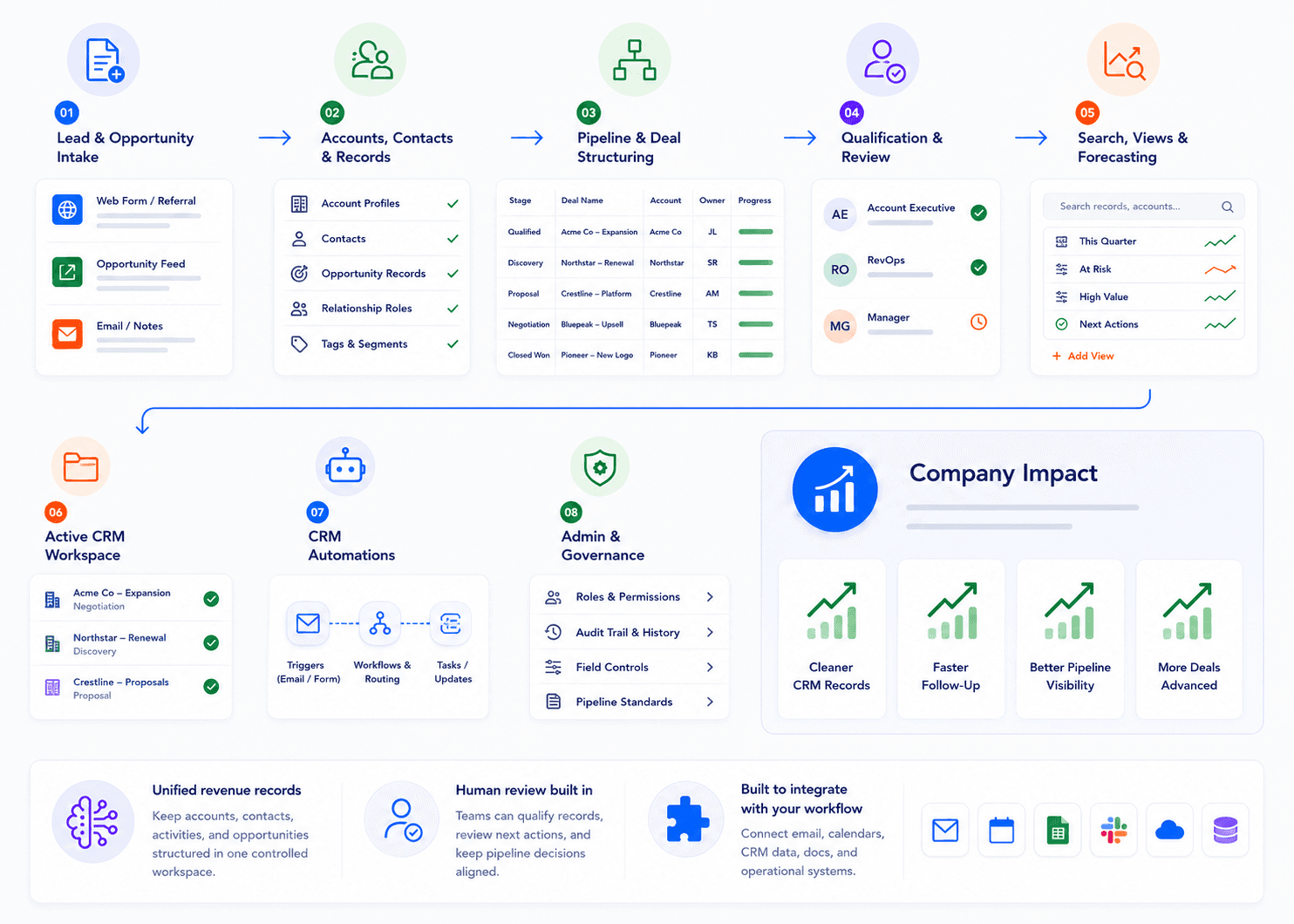
Your workflow has its own stages, exceptions, owners, review gates, and reporting needs. Model the objects your team actually manages - opportunities, projects, renewals, implementations, approvals, customer requests, internal initiatives — and give each team the view that fits their work.
Create custom record types, fields, tags, relationships, boards, tables, queues, and dashboards.
Support different workflows for sales, operations, delivery, customer success, recruiting, and leadership.
Change the process as the business changes without rebuilding the whole system.
Turn pricing from a spreadsheet scramble into a revenue workflow.
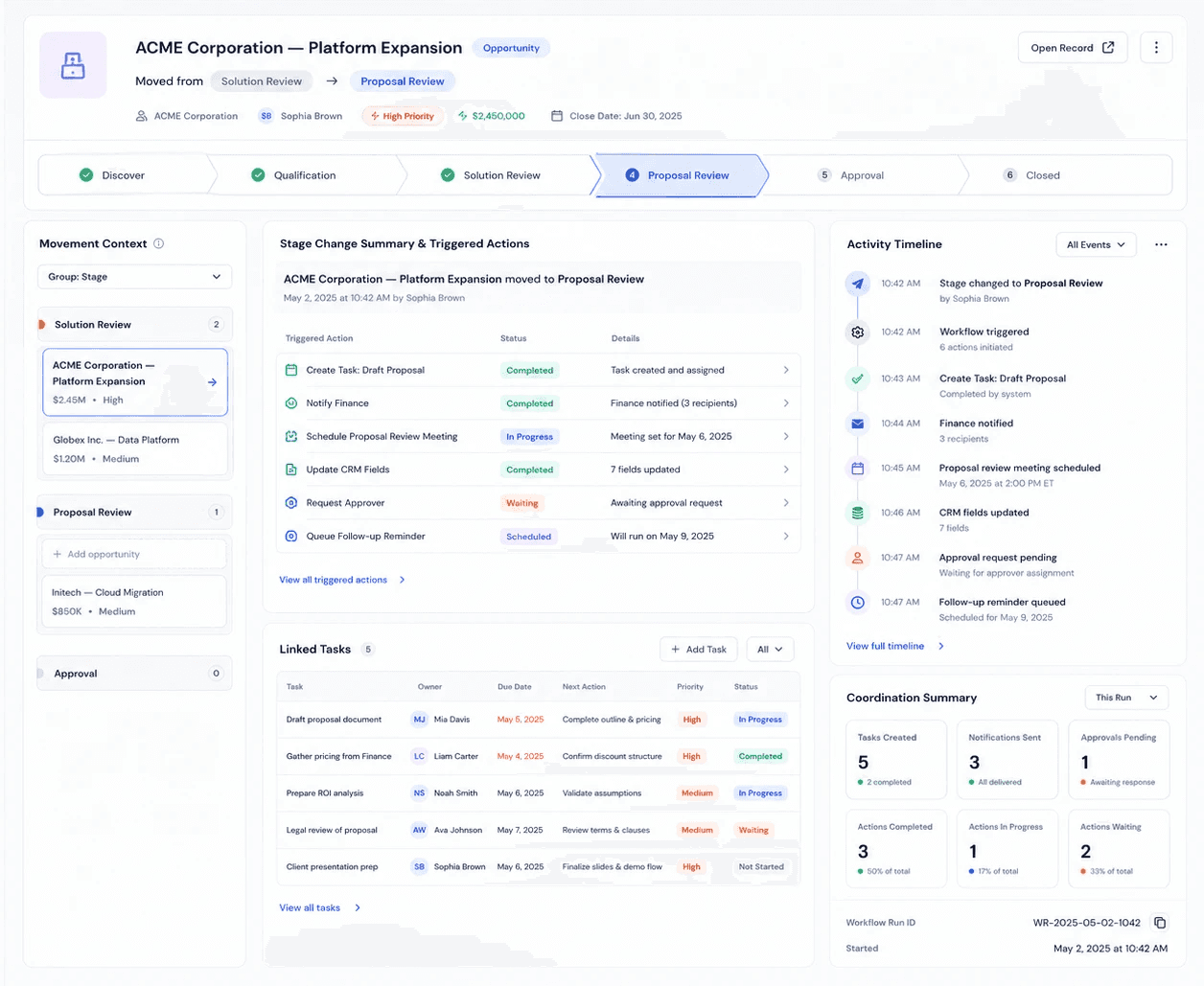
Move a record once. Let the system coordinate the next step.
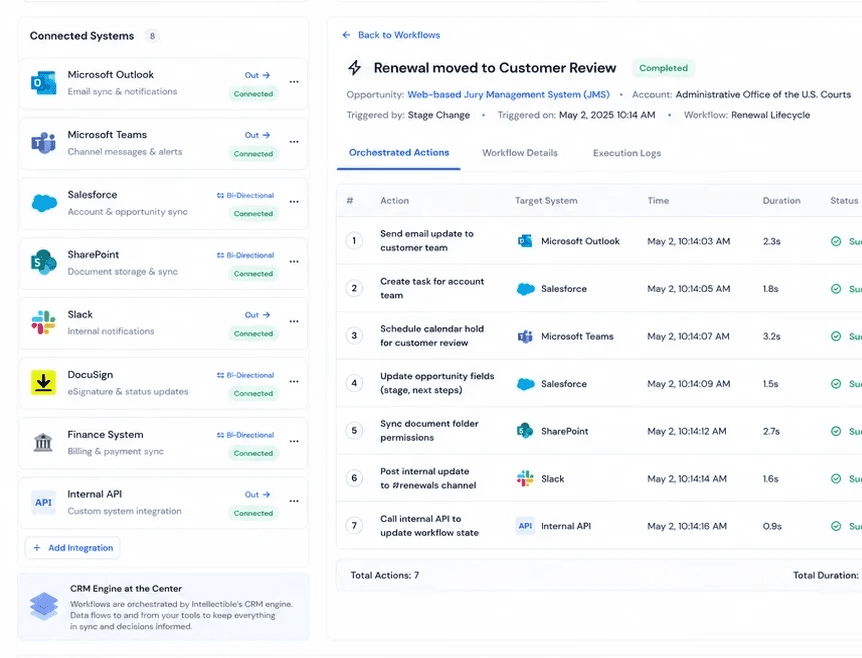
The stage change is the moment work usually breaks down. Someone needs to notify the team, create the task, schedule the review, update the CRM, chase an approver, and remember the follow-up. Intellectible turns that movement into a repeatable workflow.
Trigger different actions for review, approval, blocked, completed, renewed, escalated, or launched stages.
Use rules so the right actions fire for the right team, record type, priority, date, or customer.
Keep a visible activity log of what changed, who changed it, and which automations ran.
Make every record carry the story behind the work.
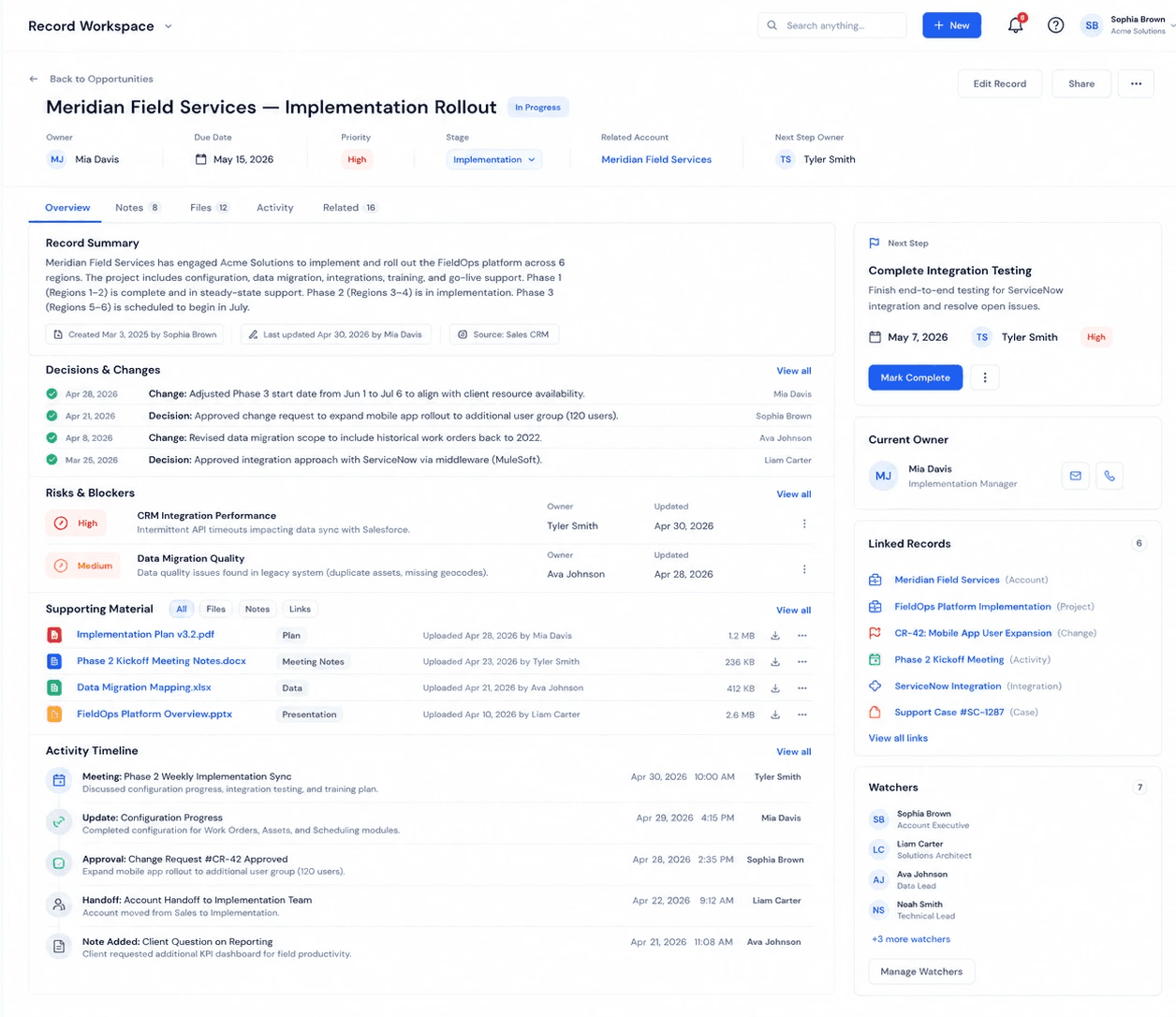
A status field is not enough. Teams need to know what was decided, what changed, what is blocked, who owns the next step, and where the supporting material lives. The record becomes the place where the business remembers the work.
Attach notes, transcripts, files, approvals, comments, links, blockers, and decision history to the record.
Turn meeting summaries into tasks, owners, due dates, and open questions.
Help new owners and reviewers act without asking for another status recap.
Move the package through sales, ops, finance, and leadership with clear owners and audit-ready handoffs.
See where work is moving, stuck, overloaded, or at risk.
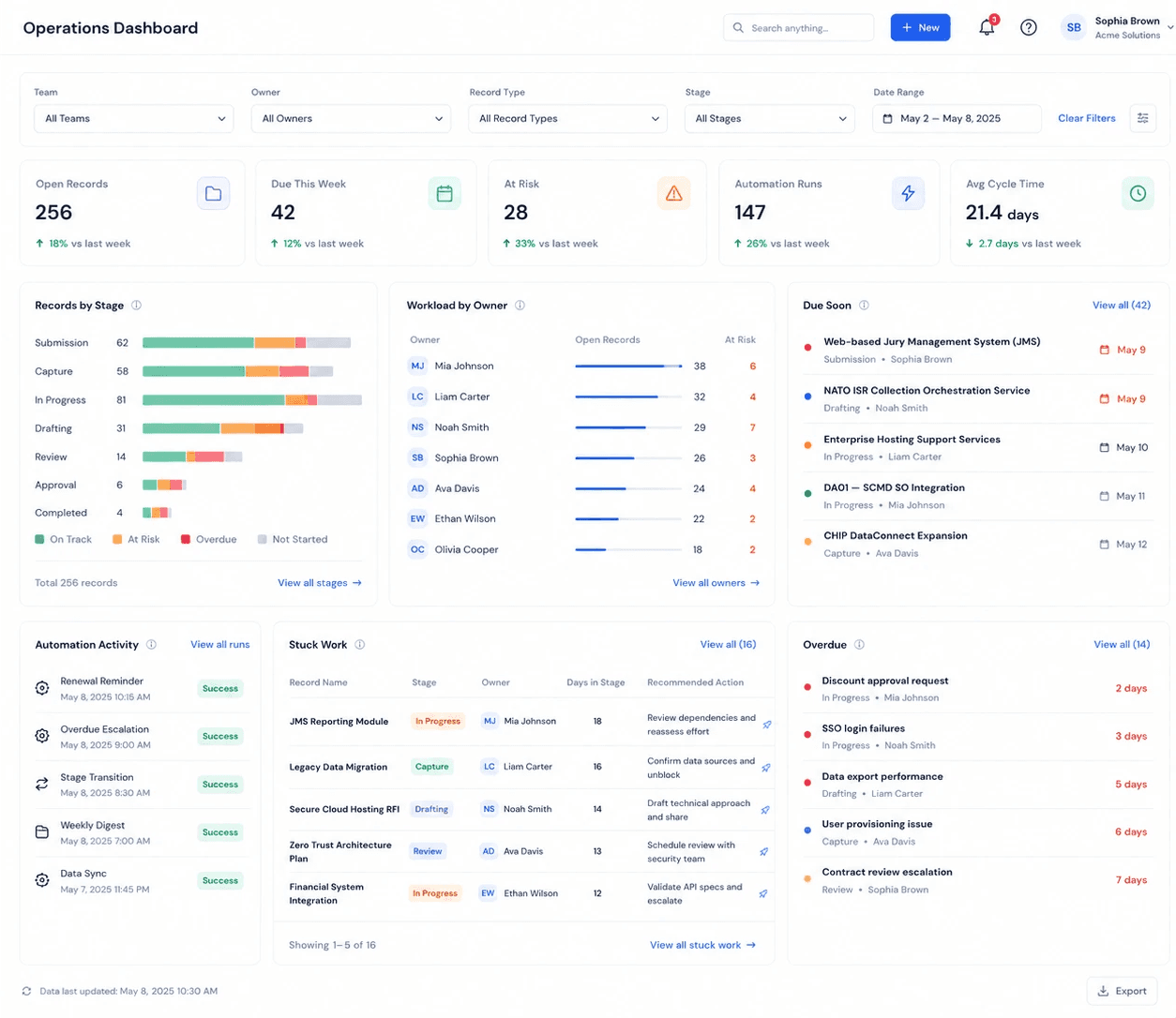
Leadership should not need another meeting to understand the state of the business. Dashboards roll up the work by stage, team, deadline, owner, cycle time, workload, and automation activity so managers can intervene before the handoff fails.
Track active work, overdue records, stuck stages, upcoming deadlines, and team capacity.
Build role-specific dashboards for operators, managers, executives, reviewers, and stakeholders.
Roll up multiple team workflows into a live operating view.
Keep the tools people already use aligned with the actual workflow.
The engine does not require a rip-and-replace approach. It can orchestrate the tools already in place, replace parts of the stack where useful, and serve as the workflow layer that coordinates updates, tasks, emails, schedules, CRM changes, documents, and internal systems as the process moves forward.
Connect email, calendars, Slack, Microsoft 365, Google Workspace, HubSpot, Salesforce, Asana, Jira, document stores, databases, and internal APIs.
Trigger downstream work from one stage change instead of asking people to update five places.
Use integration rules to keep each system accurate without making the CRM the only place work can happen.